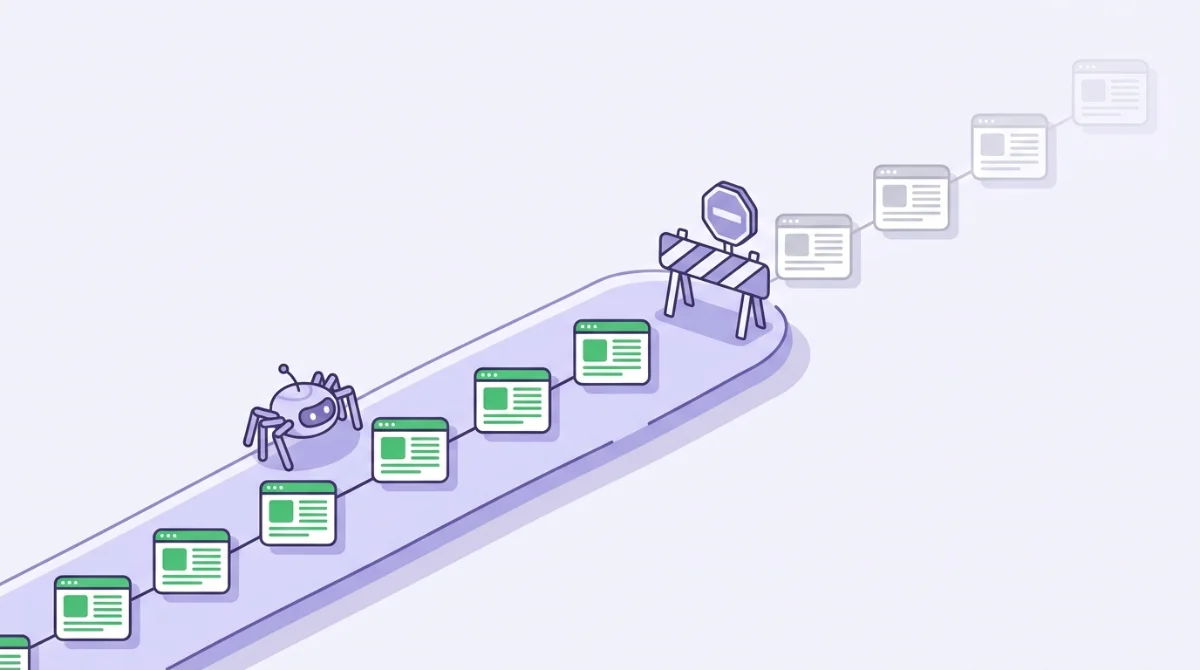
For medium-to-large-scale websites (such as e-commerce platforms, publishers, SaaS directories, or international marketplaces), one of the most frustrating technical blockers is seeing high-value commercial URLs stuck in "Discovered - Currently Not Indexed" or "Crawled - Currently Not Indexed" within Google Search Console.
You have engineered responsive layouts, crafted high-converting copy, and configured valid Schema JSON-LD. Yet when you inspect the index, Googlebot has either skipped those pages entirely or crawled them once and never returned.
The root cause almost always points to a single bottleneck: Crawl Waste.
This comprehensive technical blueprint breaks down how Googlebot calculates crawl allocation, how to uncover crawl leaks through server access log analysis, and actionable steps to guarantee 100% indexing coverage for your mission-critical pages.
What Is Crawl Budget and Why Does It Matter for Enterprise Scale?
In search engine engineering, Crawl Budget represents the total volume of URLs Googlebot can and intends to crawl across your domain within a specific timeframe before allocating its resources elsewhere.
Crawl Budget is governed by two fundamental mechanics:
- Crawl Rate Limit (Host Performance): How quickly your origin infrastructure responds to crawler requests without degradation or spikes in Time To First Byte (TTFB). If your servers return 5xx errors or suffer high latency, Googlebot automatically throttles its crawl rate to protect your infrastructure.
- Crawl Demand (URL Importance & Freshness): How urgently Google views your content based on domain authority, entity popularity signals, and how frequently your pages provide new, verified information (Information Gain).
If your domain hosts 50,000 pages but Googlebot only allocates 5,000 crawls per day, it will take weeks just to refresh a fraction of your catalog. The issue becomes critical when that limited crawl quota is squandered on low-value, duplicate URLs instead of revenue-generating landing pages.
4 Common Crawl Leaks Draining Your Indexing Velocity (Crawl Waste)
Based on technical audits across hundreds of enterprise websites, these four architectural flaws represent the most prevalent sources of wasted crawl budget:
1. Faceted Navigation & Query Parameter Traps
On e-commerce or directory platforms, multi-select filters (such as color, size, price ranges, and sorting rules) often generate millions of near-duplicate URL permutations:
example.com/shoes?color=red&sort=price_lowexample.com/shoes?color=red&size=42&sort=price_low
Unless strictly controlled through robots.txt disallow rules or parameter configurations, Googlebot can burn up to 80% of its daily crawl quota endlessly looping through infinite filter permutations.
2. Multi-Hop Redirect Chains and Loops
When a legacy URL redirects to URL B, then URL C, and finally URL D, Googlebot consumes three separate crawl credits just to inspect a single destination asset. Extended redirect chains deplete crawler resources and cause Googlebot to drop the remainder of its crawl queue.
3. Canonical Traps & Soft 404 Pages
Implementing rel="canonical" tags tells Google which URL to display in search results, but canonical tags do not prevent Googlebot from crawling the duplicate variants. Your crawl budget is still consumed. For truly valueless pages, the correct engineering solution is blocking via robots.txt or returning HTTP 404/410 status codes.
4. High Server Latency (Elevated TTFB)
If your origin server takes 1,500ms to respond to each HTML request, Googlebot can only process a handful of pages per minute. In contrast, modern websites deployed on edge serverless networks with sub-50ms TTFB allow Googlebot to parse dozens of pages per second without stressing the origin database. Explore the performance dynamics in our web rendering architecture comparison for SEO.
Practical Audit Blueprint: Uncovering Bot Behavior via Server Access Logs
Google Search Console provides aggregated sample data. The only source of ground truth regarding crawler activity is your Server Access Log Files.
Here is how technical SEO teams analyze log files to detect and resolve crawl anomalies:
| Log Parameter | Audit Target | Required Engineering Action |
|---|---|---|
| HTTP Status Breakdown | Percentage of 3xx (Redirects), 4xx (Client Errors), and 5xx (Server Faults) | Clean internal broken links and compress redirect chains into single-hop 301 rules. |
| User-Agent Verification | Differentiating legitimate Googlebot IP ranges from spoofed scrapers via Reverse DNS | Block fraudulent scrapers via Web Application Firewall (WAF) to preserve server capacity. |
| Crawl Frequency by Directory | Ratio of bot hits across product/service categories vs legacy archives and tag pages | Verify that commercial landing pages receive daily crawler visits rather than archive directories. |
| Response Latency (TTFB) | Identifying URL paths exceeding 500ms response times | Optimize database indexing, configure edge caching, and streamline asset delivery. |
5 Actionable Steps to Maximize Your Crawl Budget
To ensure Googlebot dedicates 100% of its crawl capacity to pages that drive revenue and organic visibility, implement these five architectural best practices:
1. Enforce Strict robots.txt Governance
Explicitly disallow crawling of internal search result URLs (/search?q=), shopping cart paths, dynamic pagination combinations, and administrative backends. Prevent search bots from touching any URL you do not intend to rank.
2. Maintain a Flat Site Architecture (Click Depth < 3)
Ensure all high-priority product categories and strategic editorial assets are accessible within 3 clicks from the homepage. As click depth exceeds 4 levels, Googlebot's crawl frequency drops exponentially.
3. Segment and Modularize XML Sitemaps
Avoid dumping all URLs into a single massive sitemap file. Partition your sitemaps into clean functional modules:
sitemap-products.xmlsitemap-categories.xmlsitemap-articles.xml
This structure allows you to pinpoint exact indexation coverage bottlenecks directly within Search Console.
4. Optimize for Modern AI Retrieval (GEO & AEO)
Search bots in 2026 do not just index keywords; they extract structured factual summaries for AI answer engines. Structuring your pages with direct answers in the opening paragraphs accelerates extraction speeds for both Googlebot and generative crawlers, as detailed in our guides on how ChatGPT, Perplexity & Gemini select citations and navigating Google AI Overviews.
5. Decommission Dead URLs with HTTP 410 (Gone)
When thousands of discontinued product pages have no relevant replacement URL, do not redirect them to the homepage (which Google frequently classifies as a soft 404). Return an explicit HTTP 410 status code so Googlebot permanently removes them from its active crawl queue.
Conclusion: Crawl Efficiency Is the Foundation of Organic Growth
Crawl budget optimization is not exclusively for multi-million-page portals. Any domain with thousands of URLs can experience severe organic stagnation if search bots spend their daily allocation navigating crawl waste instead of indexing new products and services.
By eliminating crawl waste, optimizing server response times, and maintaining clean site architecture, you ensure that every new business asset is indexed and generating search visibility within hours of publishing.
To conduct a comprehensive technical audit of your enterprise architecture and server log health, explore Venti Digital's technical SEO and architecture services or schedule a consultation with our engineering team today.
Authoritative Research References & Sources
- Google Search Central: Large Site Crawl Budget Management Guide
- Cloudflare Learning Center: What is Crawl Budget & How Server Latency Affects Web Crawlers
- W3C HTTP Status Code Specifications: HTTP/1.1 Status Code Definitions (RFC 9110)
- Venti Digital Technical Insights: Web Rendering Architecture Comparison for SEO (SSR vs SSG vs CSR)
- Venti Digital Strategy: What is GEO (Generative Engine Optimization)? Complete Guide